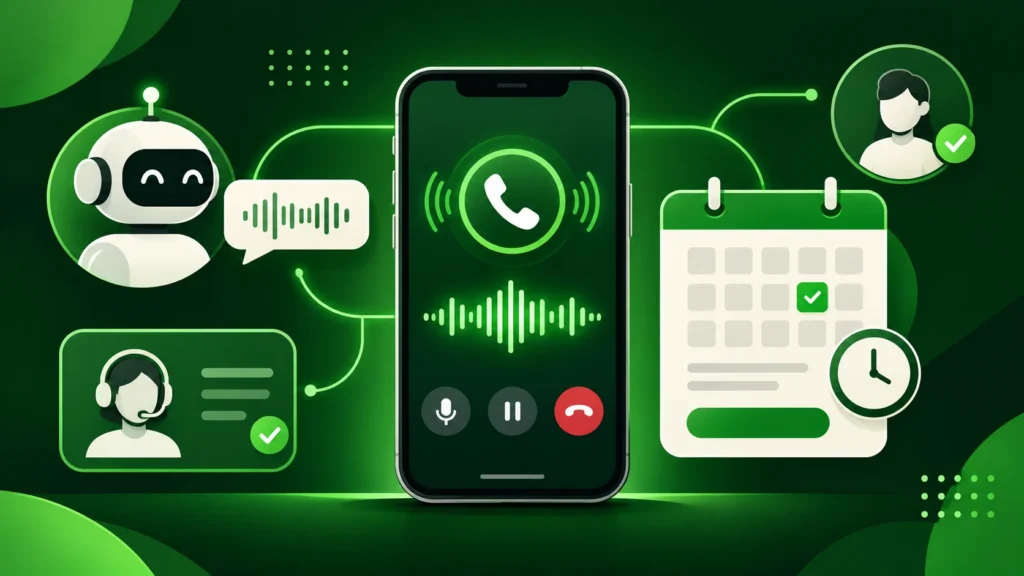
Choosing the right ai receptionist for small business operations can immediately stop missed calls from turning into lost revenue. Every day, local clinics, law firms, home service contractors, real estate agencies, and boutique studios lose high-intent leads simply because staff members are busy with customers, away from the desk, or closed for the evening. When a prospective client reaches voicemail, most hang up and call the next competitor on the list.
Modern voice AI has changed how small teams handle inbound phone traffic. Instead of relying on rigid, frustrating keypad menus (“Press 1 for sales, Press 2 for billing”), today’s conversational voice agents greet callers naturally, answer common questions using your company knowledge base, qualify leads, and book appointments directly onto your calendar. For founders evaluating practical Small Business Tools, adopting an automated phone assistant delivers one of the fastest returns on investment available.
In this guide, we break down how an ai receptionist for small business workflows actually works, compare the top platforms on the market, and walk through a simple setup checklist so you can deploy one without technical headaches.
Why Small Businesses Are Switching to AI Phone Receptionists
Traditional answering services charge hefty per-minute fees and often rely on outsourced operators reading from generic scripts. Hiring a full-time front-desk receptionist, meanwhile, costs tens of thousands of dollars per year in salary, benefits, and training—and still leaves nights, weekends, and lunch breaks uncovered.
An automated voice receptionist bridges that gap by offering round-the-clock responsiveness at a fraction of traditional staffing costs. According to customer communication research highlighted by Harvard Business Review, responding to inbound leads within minutes rather than hours dramatically increases conversion rates, especially in service-based industries where urgency drives buying decisions.
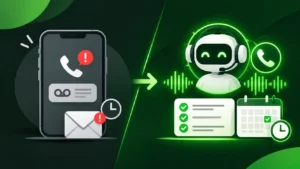
Core Problems an AI Receptionist Solves
-
Zero Missed After-Hours Calls: Captures leads at 9:00 PM or on Sunday mornings just as smoothly as during peak weekday hours.
-
Instant Calendar Scheduling: Integrates with Google Calendar, Outlook, or Calendly to book, reschedule, or cancel appointments during the live call.
-
Consistent FAQ Handling: Answers repetitive questions about business hours, service areas, pricing ranges, and directions without interrupting your team.
-
Automatic Call Summaries and CRM Sync: Sends instant SMS or email transcripts with caller intent, contact details, and urgency tags right after the call ends.
Top AI Receptionist Platforms for Small Businesses Compared
Not every voice platform is built for the same type of company. Some focus on ultra-fast setup for solo operators and local contractors, while others offer deep CRM workflows for multi-staff agencies. The table below compares five standout options across primary use cases, starting pricing tiers, and core strengths.
| Platform | Best For | Starting Price (Approx.) | Standout Feature |
| Goodcall | Local shops, salons, and restaurants | ~$59/month | Fast setup using your Google Business Profile and website URL |
| Smith.ai | Law firms, agencies, and B2B consultants | ~$95/month | Hybrid AI + live human receptionist fallback for complex calls |
| Rosie | Home services, contractors, and solo pros | ~$49/month | Simple training from your website with instant SMS call summaries |
| My AI Front Desk | Clinics, gyms, and appointment businesses | ~$65/month | Built-in text-to-book links and 6,000+ Zapier integrations |
| Dialzara | Small teams needing custom call routing | ~$29/month | Affordable entry tier with 40+ realistic voice options and call transfers |
1. Goodcall: Best for Rapid Local Business Setup
Goodcall is designed specifically for neighborhood businesses that want a working phone agent live in under fifteen minutes. During onboarding, it pulls public details from your website and business listing to build an initial knowledge base automatically.
-
Strengths: Extremely beginner-friendly interface, unlimited minute options on select tiers, and reliable appointment link texting.
-
Limitations: Less suited for complex multi-department enterprise routing.
2. Smith.ai: Best Hybrid AI and Human Receptionist Solution
Smith.ai stands out because it blends automated voice handling with North America-based live human agents. If a caller asks a nuanced legal intake question or requests a warm transfer, the system can escalate seamlessly to a trained human specialist.
-
Strengths: High accuracy for professional services, deep CRM integrations (HubSpot, Clio, Salesforce), and custom lead screening rules.
-
Limitations: Higher per-call pricing compared to pure software-only platforms.
3. Rosie: Best for Home Services and Field Contractors
Plumbers, electricians, HVAC technicians, and roofers rarely sit near a desk. Rosie focuses on capturing urgent job details while you are on a job site and texting you a clean summary immediately.
-
Strengths: Clean mobile notifications, spam call filtering, and straightforward FAQ training.
-
Limitations: Fewer advanced outbound campaign tools than broader sales dialers.
4. My AI Front Desk: Best for Appointment-Heavy Studios and Clinics
For dental offices, wellness clinics, fitness studios, and coaching practices, My AI Front Desk excels at turning inbound phone inquiries into confirmed calendar bookings via automated SMS booking links and direct calendar sync.
-
Strengths: Strong scheduling automation, multi-call concurrency (handles multiple callers at once without busy signals), and wide Zapier support.
-
Limitations: Requires careful prompt testing if you offer dozens of overlapping service packages.
5. Dialzara: Best Budget-Friendly Entry Option
If you are testing an ai receptionist for small business call handling on a tight budget, Dialzara offers a low monthly entry price while still supporting custom voice selection, call forwarding, and email/SMS summaries.
-
Strengths: Low starting cost, quick call-forwarding setup with your existing business number, and natural-sounding voice models.
-
Limitations: Lower-tier plans include tighter monthly minute caps, so high-volume callers should monitor usage.
Key Features to Look for in an AI Receptionist for Small Business
Before committing to an annual plan, evaluate each tool against five practical criteria that directly affect caller experience and daily reliability.
Natural Voice Latency and Interruption Handling
Early voice bots suffered from awkward two-second pauses after a caller stopped speaking. Look for platforms powered by low-latency conversational models that respond in under a second and pause gracefully if a caller interrupts mid-sentence to clarify a detail.
Existing Phone Number Forwarding
You should never have to print new business cards or change your Google Business Profile number. Every reliable ai receptionist for small business provider lets you keep your current carrier number and simply activate conditional call forwarding (forwarding calls only when you are busy, away, or after hours) or full call forwarding.
Live Human Transfer Rules
Even the smartest AI encounters edge cases—such as an upset VIP client or an urgent emergency dispatch. Make sure you can configure clear escalation triggers (for example, saying “speak to a manager” or detecting an urgent keyword) that route the call straight to your cell phone.
Bilingual and Multi-Language Support
If your customer base speaks both English and Spanish—or other regional languages—confirm that the voice agent can detect language preferences automatically without requiring clunky keypad prompts.
Step-by-Step Setup Guide: Launch Your AI Receptionist in Under an Hour
Setting up an automated receptionist does not require coding skills. Follow this four-step rollout process to ensure your callers get a polished experience from day one.
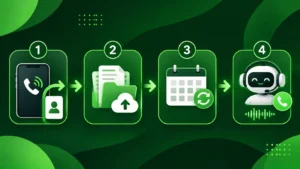
Step 1: Prepare a One-Page Knowledge Sheet
Write a clean document covering the top 10 to 15 questions callers ask every week. Include your exact street address, parking instructions, operating hours, core services, starting price ranges, and cancellation policies. Clear, concise answers prevent the AI from guessing or giving vague replies.
Step 2: Configure Greeting Tone and Escalation Rules
Choose a voice that matches your brand personality—warm and conversational for a local salon or clinic, or crisp and professional for a consulting or legal practice. Set explicit rules for when the agent should take a message versus transfer the call live to a team member.
Step 3: Connect Your Calendar and Notification Channels
Link your primary booking calendar and enable instant SMS or email summaries. If you already use workflow automation and AI assistants across your business—like the tools covered in our Perplexity AI vs. ChatGPT comparison—you can also route call summaries into Notion, Slack, or your CRM via webhooks or Zapier.
Step 4: Run Five Real-World Test Calls
Before forwarding live customer traffic, call your dedicated AI number from your personal phone and test tricky scenarios:
-
Ask a complex pricing question not listed verbatim on your website.
-
Interrupt the AI mid-sentence to change your preferred appointment time.
-
Ask to speak with a human representative to verify that live transfer routing works smoothly.
-
Speak quickly or with mild background noise to test transcription accuracy.
Common Mistakes to Avoid When Using Voice AI
Even well-built platforms underperform if configured carelessly. Avoid these three frequent pitfalls:
-
Hiding That the Assistant Is AI: Callers appreciate transparency. A brief, friendly opening like “Hi, thanks for calling Apex Dental, I’m Maya, the virtual assistant—how can I help you today?” sets clear expectations and builds trust immediately.
-
Overloading the Greeting With Too Many Options: Keep the opening prompt under 12 words. Let the caller state what they need naturally instead of listing four different menu choices.
-
Skipping Weekly Transcript Reviews: Spend ten minutes every Friday reading call transcripts during your first month. Whenever you spot a question the AI answered awkwardly, add a clearer sentence to its knowledge base.
Final Verdict: Is an AI Receptionist Worth It for a Small Business?
For almost any service-oriented company that relies on inbound phone calls, deploying an ai receptionist for small business operations is one of the highest-leverage upgrades you can make. By eliminating missed calls, automating routine appointment scheduling, and delivering instant call summaries, these tools protect revenue you are already paying to generate through ads and local search.
Start with a low-cost trial tier such as Goodcall, Rosie, or Dialzara, forward your after-hours or unanswered calls first, and expand to full daytime coverage once you see how smoothly your callers interact with it.