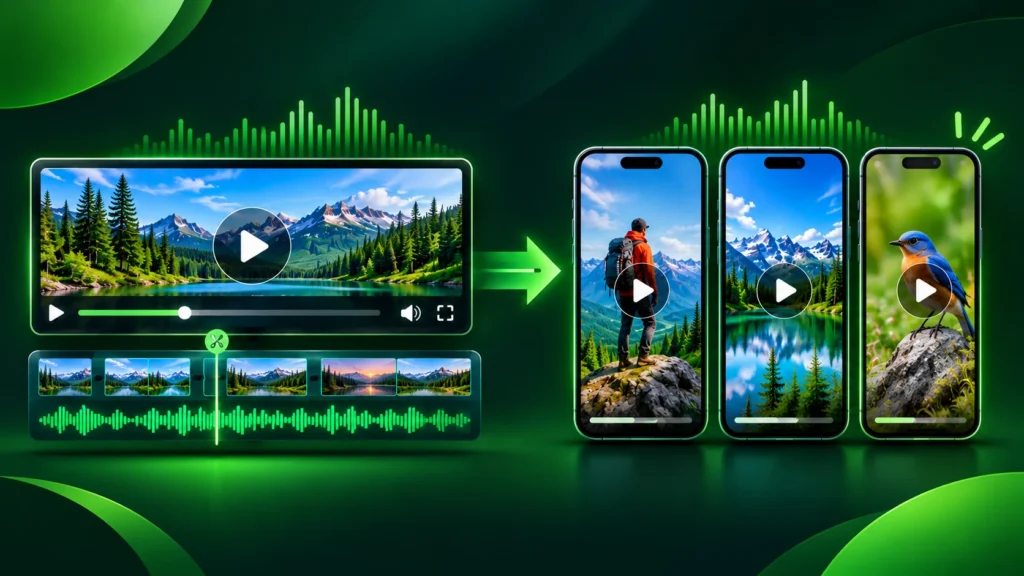
Short-form video has become one of the highest-leverage distribution channels for creators, podcasters, educators, and B2B marketing teams. A single one-hour interview, webinar, or YouTube deep dive often contains five to ten distinct moments that could perform well on YouTube Shorts, Instagram Reels, or TikTok. Manually scrubbing through long recordings, cutting vertical frames, adding dynamic captions, and exporting separate files takes hours every week—hours that most lean teams do not have.
That operational bottleneck explains why AI video repurposing tools have moved from experimental novelties into everyday production stacks. Among the platforms frequently evaluated for this workflow, Opus Clip and Munch stand out as two recognizable options built to turn longer recordings into shorter, shareable clips. While both aim to save time and surface high-potential segments, they approach video repurposing with different workflow priorities and strengths.
In this guide, we examine how Opus Clip and Munch compare in real-world content production, where each tool excels, what limitations you should plan around, and how to choose the right fit for your channel or team without falling for inflated hype.
Quick Side-by-Side Overview
Before diving into workflow details, it helps to look at how the two platforms position themselves in a practical content pipeline.
| Evaluation Criteria | Opus Clip | Munch |
| Core Focus | Rapid highlight extraction and vertical short-form clip generation | Trend-aware clipping, content intelligence, and social distribution context |
| Ideal User Profile | Solo creators, YouTubers, and high-volume clip editors | Marketers, brands, and agencies aligning clips with campaigns and trends |
| Primary Time Saver | Finding candidate moments and formatting vertical drafts quickly | Prioritizing segments with strong social context and audience relevance |
| Editing Control | Fast automated assembly; best paired with quick human review | Guided clip selection; still requires editorial judgment on final polish |
| Key Trade-Off | Automated picks can miss subtle context or brand tone | Trend signals help prioritize ideas but never guarantee reach |
Why Video Repurposing Matters So Much Right Now
Publishing original short-form video from scratch every day is exhausting. Even when a team produces strong long-form content—such as product walkthroughs, founder chats, coaching calls, or industry panels—those assets frequently sit underutilized after their initial release.
A disciplined repurposing workflow changes the economics of content production:
-
Higher return per recording hour: One focused recording session can fuel both long-form authority and short-form discovery.
-
Faster hook and topic testing: Short clips let you test which ideas, questions, or stories resonate before investing in a full dedicated video.
-
Consistent multi-platform presence: Vertical clips allow brands to show up consistently across discovery feeds without rebuilding every asset manually.
However, speed alone does not guarantee results. Viewers scroll quickly, and algorithms reward retention, clarity, and relevance rather than raw volume. AI tools help compress the discovery and assembly phase so human editors can spend their energy on hooks, pacing, and accuracy.
If you are still building out your creator or marketing stack, explore our latest AI tool reviews and side-by-side software comparisons to see how different platforms perform in real-world workflows.
How Opus Clip Works in a Creator & Team Workflow
Opus Clip is widely associated with taking longer source videos—such as YouTube uploads, podcasts, or recorded sessions—and breaking them down into candidate short clips formatted for vertical viewing. For creators and teams whose main challenge is simply getting past the blank-timeline hurdle, automated segment detection removes friction early in the process.
Strengths of Opus Clip
-
Speed from long-form to short drafts: Instead of manually marking timestamps across a long recording, you get structured starting points you can inspect and trim.
-
Vertical framing and caption momentum: Short-form feeds rely heavily on readable on-screen text and vertical framing, and automated workflows speed up that baseline setup.
-
Batch output mindset: When you publish weekly long-form episodes, having multiple vertical options ready for review helps maintain a steady posting cadence.
Practical Limitations to Keep in Mind
No automated clipping tool understands your audience or brand voice the way a seasoned editor does. Common watch-outs include:
-
Context drops: An AI model may pick a punchy sentence that loses meaning without two seconds of prior setup or a quick clarifying line.
-
Caption or terminology errors: Brand names, technical terms, accents, and niche acronyms still need a fast proofread so viewers are not distracted by typos.
-
Repetitive pacing: If every clip follows the exact same automated rhythm, your feed can start feeling formulaic unless you vary hooks and cuts.
How Munch Works in a Marketing & Content Workflow
Munch approaches video repurposing with a stronger emphasis on content marketing context, audience relevance, and trend/topic alignment. Rather than looking at a video purely as raw segments to slice up, it is designed around helping marketers and creators identify clips that fit broader social campaigns and audience interests.
Strengths of Munch
-
Marketing and campaign alignment: Teams promoting webinars, thought leadership, or brand stories often care deeply about which angle fits a campaign goal, not just any loud moment.
-
Audience and trend awareness: Framing clip selection around what resonates socially helps teams prioritize clips worth polishing first.
-
Structured repurposing for brands: For businesses treating short-form video as an extension of content marketing rather than pure entertainment, structured clip surfacing supports repeatable workflows.
Practical Limitations to Keep in Mind
-
Insights are directional, not guarantees: Trend cues and scoring models can point you toward promising angles, but actual watch time depends on the opening two seconds, visual clarity, and viewer expectations on each platform.
-
Not a full post-production suite: Like other repurposing tools, it works best as an accelerator in your pipeline rather than a complete replacement for dedicated video editing when complex motion or heavy visual storytelling is needed.
Key Differences That Actually Impact Your Daily Output
When comparing Opus Clip vs. Munch, surface feature lists can look similar at a glance. In daily practice, the real difference comes down to how your team decides what to publish next.
1. Speed of Clip Discovery vs. Strategic Framing
If your primary goal is volume and speed—turning a long recording into a batch of vertical drafts as fast as possible so you can pick winners—a high-speed clipping workflow shines. If your primary goal is strategic relevance—choosing clips that match campaign themes, audience questions, or social momentum—a trend- and marketing-oriented workflow aligns naturally with how marketing teams plan distribution.
2. Solo Creator Agility vs. Brand/Agency Review Loops
Solo creators often move fast, tweak captions on the fly, and publish directly. Agencies and brand teams usually have an extra review step where a marketing lead or client checks messaging, accuracy, and brand tone. Whichever tool you pick, build a fast 10-minute quality-control checklist before any clip goes live.
3. Human Polish Remains the Multiplier
Across both tools, the biggest difference between average AI clips and high-performing short-form videos is human editing judgment:
-
Tightening slow intros so the hook lands immediately.
-
Cutting filler words that slow down mobile viewers.
-
Verifying that on-screen text matches spoken words accurately.
-
Tailoring the final frame or call-to-action to the platform.
A Practical 5-Step Workflow for Better Short-Form Clips
Regardless of which AI repurposing platform you choose, pairing automation with a simple repeatable process prevents wasted exports and low-retention posts:
-
Start with clean source audio and clear structure: Clear speech and structured segments make highlight detection far more accurate than noisy, rambling recordings.
-
Generate candidate clips in batches: Let the tool surface initial vertical segments from your long-form recording instead of scrubbing manually from minute zero.
-
Audit the first three seconds: If a clip starts mid-thought without context, trim earlier or add a crisp opening hook so viewers do not swipe away.
-
Proofread captions and key terms: Fix misspelled names, product terms, or punctuation that could confuse mobile viewers watching on mute.
-
Track retention, not just clip count: Review audience retention and completion rates weekly so your next batch focuses on the topics and formats people actually finish.

How to Decide: Opus Clip vs. Munch
Use this straightforward decision rule to pick the right tool for your current stage:
-
Choose Opus Clip if: You produce regular long-form videos, podcasts, or interviews and want a fast, high-throughput way to generate vertical short-form drafts for quick review and publishing.
-
Choose Munch if: You approach short-form video through a content-marketing and audience-relevance lens, and want stronger emphasis on aligning clips with social context and campaign goals.
-
Hold off on paying for either if: You rarely record long-form video or audio content yet. If you mostly create original short clips from scratch, a dedicated mobile or desktop video editor may serve you better right now.
Also keep in mind that AI video tools update their interfaces, credit systems, and features frequently. Always test your actual source footage during a trial or starter plan and check current pricing and terms directly on the official product pages before committing to an annual plan.
Frequently Asked Questions
Can AI video repurposing tools replace a human video editor?
They can automate repetitive tasks like initial segment finding, vertical reframing, and baseline captioning, which saves significant time. However, human review is still essential for strong hooks, context accuracy, brand tone, and visual polish.
What kind of source video works best for AI clipping?
Structured talking-head videos, podcasts, interviews, panel discussions, and educational tutorials usually work best because clear dialogue and distinct topic shifts make it easier to isolate self-contained moments.
Do AI-generated Shorts automatically get high views?
No. Tools help you find and format clips faster, but views and retention still depend on strong opening hooks, clear value or entertainment, accurate captions, and consistent audience testing.
Should small teams test with existing footage before upgrading plans?
Yes. Running two or three real videos from your own library through the workflow will show you how well the tool handles your specific speaking style, audio quality, and editing standards.