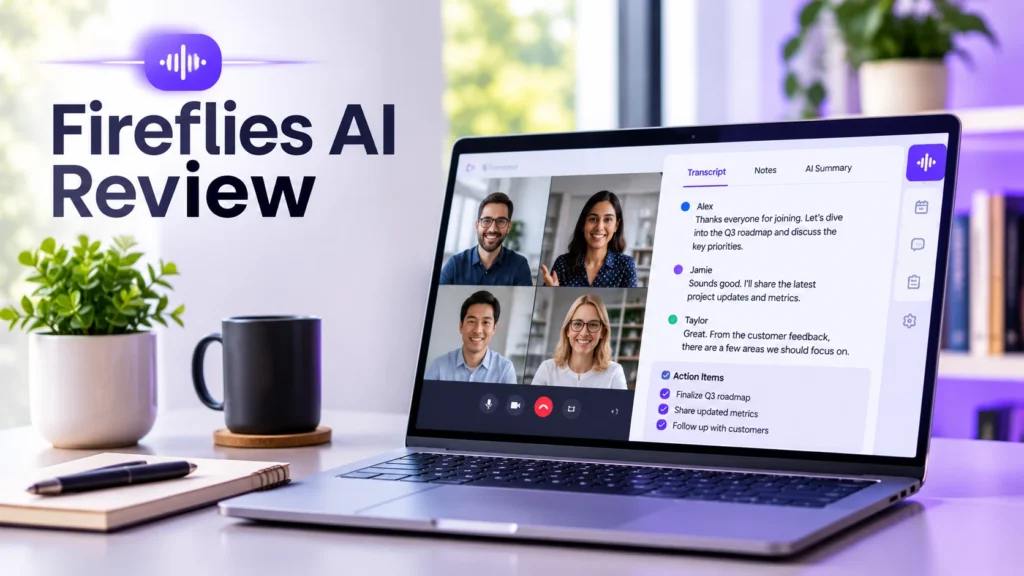
In this detailed Fireflies AI review, we examine whether one of the most popular AI meeting assistants on the market truly saves teams hours of note-taking or simply adds another bot to your calendar. Back-to-back client calls, discovery meetings, and internal standups leave little room to write structured summaries or log action items inside a CRM. When details slip through the cracks, follow-ups stall and accountability gets blurry.
Fireflies.ai promises to solve that bottleneck by joining your video calls automatically, recording and transcribing conversations across dozens of languages, generating structured AI summaries, and pushing tasks directly into your project or sales tools. For readers exploring honest AI Tool Reviews before committing to another recurring SaaS subscription, understanding where Fireflies excels—and where its free limits or bot behavior might frustrate you—is essential.
Below, our Fireflies AI review breaks down real-world transcription quality, standout workflow features, pricing tiers, honest pros and cons, and who should choose an alternative.
What Is Fireflies.ai and How Does It Work?
Fireflies.ai is an AI-powered meeting notetaker and conversation intelligence platform built for individuals, remote teams, and revenue organizations. Once connected to your Google Calendar or Microsoft Outlook account, the assistant monitors upcoming meetings on Zoom, Google Meet, Microsoft Teams, Webex, and other conferencing apps.
Depending on your preferences, the Fireflies.ai Notetaker joins your meeting as a visible participant, records the audio and video, and processes a searchable transcript shortly after the call ends. You can also upload pre-recorded MP3, MP4, WAV, or M4A files directly through the web dashboard or capture in-person conversations using its mobile app.
Who Uses Fireflies.ai Most Effectively?
-
Sales and Account Teams: Automatically capture discovery call objections, budget mentions, and next steps without typing while talking.
-
Agencies and Consultants: Keep accurate client requirement logs and share clean recap links with stakeholders who missed the call.
-
Recruiters and Hiring Managers: Review candidate responses consistently and compare interview notes across panel members.
-
Product and Operations Teams: Turn weekly standups and user interviews into searchable knowledge bases.
Core Features Tested in Our Fireflies AI Review
Rather than acting as a barebones speech-to-text converter, Fireflies layers search, analytics, and workflow automation on top of raw transcripts. During our Fireflies AI review, four core capabilities stood out in daily team workflows.
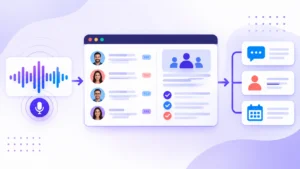
1. Multi-Language Transcription and Speaker Recognition
Fireflies supports transcription in more than 60 languages, including English, Spanish, French, German, Portuguese, Arabic, and Hindi, with automatic language detection on supported plans. In quiet environments with clear microphones, speaker separation and punctuation hold up well for fast-paced business discussions.
Inside the transcript viewer, clicking any sentence jumps straight to that exact timestamp in the audio or video playback, and you can adjust playback speed up to 2x when reviewing long calls quickly.
2. AI Super Summaries and Custom Prompt Templates
Raw transcripts are too long for busy teammates to read end to end. Fireflies addresses this with AI Super Summaries, which break meetings into structured sections:
-
Meeting Overview: A concise paragraph capturing the core purpose and outcome of the call.
-
Action Items: Bullet-pointed tasks grouped by speaker so owners know what they committed to doing.
-
Outline and Key Topics: Timestamped topic chapters for rapid navigation.
-
Custom AI Apps: Pre-built and customizable prompt templates tailored for sales MEDDIC notes, user research insights, or sprint retrospectives.
3. AskFred Conversational Assistant and Smart Search
Fireflies includes AskFred, an in-app AI assistant powered by modern language models that lets you query a single meeting—or search across your entire workspace history. Instead of scrolling through forty minutes of dialogue, you can ask direct questions like “What pricing objections did the client raise?” or “Draft a follow-up email summarizing the agreed deliverables.”
4. CRM, Slack, and Project Management Integrations
Where Fireflies separates itself from basic recorders is post-meeting automation. It connects natively with HubSpot, Salesforce, Pipedrive, Slack, Notion, Asana, ClickUp, Trello, and Zapier. You can configure rules so that every call tagged with a specific keyword automatically posts a summary to a dedicated Slack channel or logs call notes under the matching CRM contact record. If you already build automated handoffs across your stack—such as the workflows in our guide to automate client onboarding with AI—syncing meeting summaries into your client workspace keeps kickoff details organized effortlessly.
Fireflies AI Review: Pricing Plans and Free Tier Limits
Understanding the pricing structure is critical in any honest Fireflies AI review, because several headline features—such as unlimited storage, video recording, and full CRM integrations—require paid tiers.
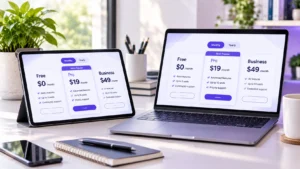
| Plan Tier | Starting Price (Billed Annually) | Key Inclusions & Limits | Best For |
| Free | $0 / user / month | Unlimited transcription (subject to fair use), limited AI summary credits, 800 mins storage per seat | Individuals testing basic call notes on occasional meetings |
| Pro | ~$10 / user / month | Unlimited AI summaries, 8,000 mins storage per seat, custom vocabulary, basic integrations | Freelancers, consultants, and small teams needing daily summaries |
| Business | ~$19 / user / month | Unlimited storage, video recording, CRM integrations, conversation intelligence, team analytics | Growing sales, agency, and operations teams |
| Enterprise | ~$39 / user / month | Custom data retention, HIPAA compliance, SSO, private storage, dedicated support | Larger organizations with strict security and compliance rules |
Note: Monthly billing costs more per seat than annual billing, and heavy usage of advanced AskFred AI credits can require add-on allowances depending on workspace volume.
Is the Free Plan Actually Usable Long-Term?
The Free plan is generous enough to test transcription quality on a handful of calls, but the 800-minute total storage cap per seat fills up after roughly 13 to 15 one-hour meetings. Once storage is full, you must delete older recordings or upgrade to Pro (~$10/month billed annually) to keep accumulating searchable history.
Honest Pros and Cons in This Fireflies AI Review
No AI meeting tool fits every company culture. Weighing both strengths and friction points in this Fireflies AI review will help you avoid surprises after rollout.
What We Like (Pros)
-
Strong Post-Meeting Workflow Automation: Pushing structured notes and action items automatically to Slack, Notion, or HubSpot removes repetitive admin work.
-
Fast Search and AskFred Q&A: Finding exact quotes, dates, or commitments across months of calls takes seconds.
-
Accessible Pro Pricing: At roughly $10 per user/month on annual billing, the Pro tier undercuts several enterprise revenue-intelligence competitors while covering core summary needs.
-
Broad Conferencing and File Support: Works across Zoom, Google Meet, Microsoft Teams, and uploaded audio/video files without locking you into one video platform.
Where It Falls Short (Cons)
-
Visible Bot Participant Can Feel Intrusive: Because Fireflies joins calls as a separate bot attendee, some external clients or sensitive legal/HR meetings find an unannounced bot awkward unless you inform guests beforehand.
-
Video Recording Locked Behind Business Tier: If you want full screen-share video playback rather than audio-only playback, you have to jump from Pro (~$10) to Business (~$19/seat).
-
Heavy Accents and Cross-Talk Still Need Quick Edits: While accuracy is solid on clear audio, technical jargon, overlapping speakers, or noisy cafes still require occasional manual cleanup—especially for client-facing transcripts.
Security, Privacy, and Meeting Etiquette Considerations
Whenever you bring an AI recorder into client or internal calls, privacy compliance matters. Fireflies states that customer data is encrypted in transit and at rest, offers SOC 2 Type II certification, and provides zero-data-retention options with AI model providers alongside HIPAA support on Enterprise plans.
However, legal and ethical compliance still rests with the meeting host. As highlighted in workplace communication guidance from Harvard Business Review, transparency builds trust in remote collaboration—always announce recording bots clearly at the start of external calls, honor local two-party consent laws, and configure calendar rules so the bot only joins meetings you explicitly approve rather than auto-joining every private one-on-one.
Fireflies.ai vs Top Alternatives: Which Should You Pick?
If you are comparing options across Small Business Tools before standardizing on one assistant, consider how Fireflies stacks up against two popular rivals:
-
Fireflies.ai vs. Otter.ai: Otter excels at real-time live captions and mobile lecture/interview capture, whereas Fireflies offers deeper CRM integrations, broader multi-language support, and more flexible post-call workflow automation.
-
Fireflies.ai vs. Granola or Krisp: If your team hates having a visible bot enter client calls, bot-free alternatives like Granola or Krisp capture system audio locally on your computer without appearing in the participant list—though they trade away some of Fireflies’ deep team-wide CRM analytics.
Final Verdict: Is Fireflies.ai Worth It?
To wrap up this Fireflies AI review, Fireflies.ai delivers genuine, measurable time savings for remote teams, agencies, and sales reps who spend hours every week on video calls and need structured notes synced automatically to Slack, Notion, or a CRM.
If you only take a few casual calls per month or strongly dislike visible meeting bots, a bot-free note app or the limited Free tier may be enough. But if your team runs daily client, discovery, or project meetings and wants searchable call intelligence without enterprise-level pricing, upgrading to Fireflies Pro or Business is an easy productivity win.