
Choosing the right ai bookkeeping tools for small business operations can turn hours of end-of-month spreadsheet cleanup into a fast, repeatable routine. Every week, small business owners spend valuable energy sorting bank transactions, chasing missing receipts, matching invoices, and double-checking expense categories before tax season arrives. When bookkeeping falls behind, cash flow visibility drops—making it harder to tell whether your business is actually profitable or simply moving money around.
Modern accounting platforms powered by artificial intelligence change how small teams maintain clean financial records. Instead of manually typing every expense line item or building rigid rules from scratch, today’s AI-assisted ledgers learn from your transaction history, extract key details from receipts and bills, flag unusual entries, and answer plain-English questions about cash flow and spending. For founders exploring practical Small Business Tools to cut administrative drag, adopting smart bookkeeping software is one of the highest-impact upgrades you can make.
In this guide, we examine how ai bookkeeping tools for small business workflows operate in practice, compare top platforms across pricing and automation depth, and outline what to check before switching your ledger.
Why Teams Adopt AI Bookkeeping Tools for Small Business
Manual bookkeeping rarely fails on day one—it slips quietly when order volume rises, client retainers multiply, or team members start spending on company cards. Catching up on three months of uncategorized transactions right before filing taxes is stressful, expensive, and error-prone.
AI-driven bookkeeping helps small teams stay closer to real-time numbers without hiring a full-time accounting department. According to small business guidance from the U.S. Small Business Administration, keeping accurate financial records and monitoring cash flow consistently is essential for healthy operations and smart decision-making. When AI handles repetitive tagging and reconciliation drafts, owners and bookkeepers can spend more time reviewing margins, planning taxes, and managing growth.
Core Problems AI Bookkeeping Solves
-
Repetitive Transaction Categorization: Suggests expense and income categories automatically based on merchant patterns and past ledger history.
-
Receipt and Bill Data Extraction: Reads uploaded receipts or vendor bills to pull dates, totals, and tax amounts without manual re-entry.
-
Anomaly and Duplicate Detection: Spots unusual charges, double-billed vendors, or missing entries before they distort monthly reports.
-
Conversational Financial Insights: Lets owners ask direct questions about monthly burn, top expense categories, or unpaid invoices instead of digging through complex menus.
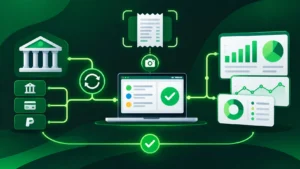
Top AI Bookkeeping Tools for Small Business Teams Compared
No single accounting platform fits every business model. Established suites offer deep ecosystems and wide accountant familiarity, while newer AI-native ledgers focus on speed, automation, and modern startup workflows. The table below compares five notable options across ideal fit, starting pricing, and standout AI capabilities.
| Platform | Best For | Starting Price (Approx.) | Standout AI & Ledger Feature |
| QuickBooks Online | Small businesses wanting the widest accountant ecosystem | ~$38/month (Simple Start) | Intuit Intelligence for smart expense organization, insights, and queries |
| Xero | Small teams wanting built-in AI assistance and clean UI | ~$27–$32/month (Starter/Early) | Built-in AI assistant and smart document capture for bills and receipts |
| Puzzle | Startups and tech-forward teams tracking accrual books | ~$25–$30/month | AI-accelerated close workflows, cash/runway visibility, and anomaly checks |
| Digits | Modern startups wanting an AI-native general ledger | ~$65/month (Essentials) | Automated ledger categorization and AI-assisted month-end close workflows |
| Zoho Books | Businesses already using Zoho apps or needing multi-app billing | Tiered / Free entry options | Tight integration with Zoho Invoice, CRM, and automated payment reminders |
1. QuickBooks Online: Best Ecosystem and Accountant Compatibility
QuickBooks Online remains a standard choice for small businesses that work with external CPAs or bookkeepers and want mature reporting tools. Its Intuit Intelligence capabilities assist with smart expense categorization, financial Q&A, anomaly checks, and workflow automation across bank feeds and invoicing.
-
Strengths: Massive integration library, familiar accountant workflows, and strong reporting depth as teams add users or inventory.
-
Limitations: Higher monthly tiers add up quickly if you need multi-user access, project tracking, or inventory features.
2. Xero: Best for Clean Workflows and Document Capture
Xero appeals to small business owners who want an intuitive interface, solid bank reconciliation, and built-in document capture for bills and receipts. Its AI features help streamline routine categorization and surface quick financial summaries without cluttering daily tasks.
-
Strengths: Clean user experience, helpful receipt/bill capture, and strong add-on ecosystem.
-
Limitations: Entry-level plans can restrict monthly invoice or bill counts, requiring an upgrade as transaction volume grows.
3. Puzzle and Digits: Best AI-Native Ledgers for Fast-Moving Teams
Unlike legacy accounting tools retrofitted with AI widgets, platforms like Puzzle and Digits are designed around automated ledger intelligence from the ground up. They focus on faster month-end closes, automated transaction classification, and clearer visibility into cash flow and burn.
-
Strengths: Fast modern interfaces, strong automation around categorization and reconciliation, and startup-friendly financial visibility.
-
Limitations: Smaller third-party app ecosystems than QuickBooks or Xero, and less traditional for complex legacy industries.
4. Zoho Books: Best Fit for Connected Billing and Operations
If your business already relies on Zoho tools or handles recurring client billing alongside expense tracking, Zoho Books connects invoicing, customer records, and financial reporting in one structured environment. If you are still deciding between dedicated free billing tools before adopting full accounting software, see our Wave vs Zoho Invoice comparison for a detailed breakdown.
-
Strengths: Smooth connection with billing and CRM workflows, automated reminders, and structured tax/reporting controls.
-
Limitations: Best value comes when you stay inside the broader connected workflow rather than bolting on unrelated apps.
Essential Features in AI Bookkeeping Tools for Small Business Growth
Marketing claims around “autonomous accounting” sound appealing, but real-world reliability depends on a few practical capabilities. When evaluating ai bookkeeping tools for small business use, prioritize these core features:
High-Accuracy Bank Feed Sync and Reconciliation
Your bookkeeping tool should connect reliably to your business checking accounts and credit cards, import transactions cleanly, and match payments against open invoices or bills without creating duplicate entries.
Confidence Scores and Human Review Controls
AI is a powerful co-pilot, not a substitute for human accountability. Look for software that clearly highlights uncertain categorizations, lets you approve batches in one click, and preserves a clean audit trail whenever a rule or entry is edited.
Seamless Export and Accountant Collaboration
At tax time or during an audit, your CPA needs clean Profit & Loss statements, Balance Sheets, general ledger exports, and clear documentation. Make sure your platform lets you invite an accountant or export standard reports effortlessly.
How to Choose the Right AI Bookkeeping Tools for Small Business Needs
Picking the right software is easier when you match the tool to your current transaction volume and team complexity rather than chasing every shiny AI feature.
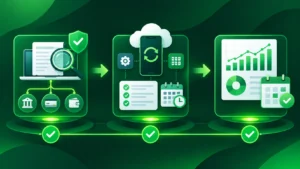
1. Audit Your Monthly Transaction Volume and Complexity
A solo consultant sending ten invoices a month and paying five software subscriptions has very different needs from a retail or service shop processing hundreds of card charges, vendor bills, and payroll runs. Count your monthly transactions and check whether you need multi-currency support, inventory, or project profitability tracking.
2. Check How It Connects With Your Existing Stack
Your bookkeeping ledger should sit cleanly alongside your invoicing, payment processor, payroll, and client workflows. For instance, if you already use automation to move new client data into your apps—similar to the systems covered in our guide to automate client onboarding with AI—check for native integrations or webhook support so customer and billing records stay aligned.
3. Test Real Categorization Before Committing Long-Term
Take advantage of free trials or sandbox data and import a sample month of real bank and card transactions. Watch how accurately the AI categorizes your recurring vendors, how easily you fix mistakes, and whether its reports make sense at a glance.
Common Mistakes With AI Bookkeeping Tools for Small Business
Even capable ai bookkeeping tools for small business teams can produce messy books if set up hastily. Avoid these common pitfalls:
-
Mixing Personal and Business Expenses: Commingling personal card swipes with business transactions confuses AI pattern matching and creates tax headaches later. Use dedicated business accounts.
-
Blindly Approving Every Suggestion: Always review new vendor types, large transfers, and tax-deductible categories yourself rather than auto-approving everything without looking.
-
Skipping Monthly Reconciliation: Set a recurring calendar reminder once a month to reconcile bank and credit card statements so small discrepancies never snowball.
Final Verdict: Are AI Bookkeeping Tools Worth It for Small Businesses?
Yes—for almost any small business owner who wants cleaner financial visibility and less manual data entry, ai bookkeeping tools for small business workflows offer immediate practical value. They will not replace sound financial judgment or qualified tax advice, but they dramatically reduce the tedium of keeping your books current week after week.
Start by defining your must-have workflows—bank sync, receipt capture, invoicing, or multi-user access—test a top contender with real sample transactions, and build a simple monthly review habit so your numbers stay reliable year-round.