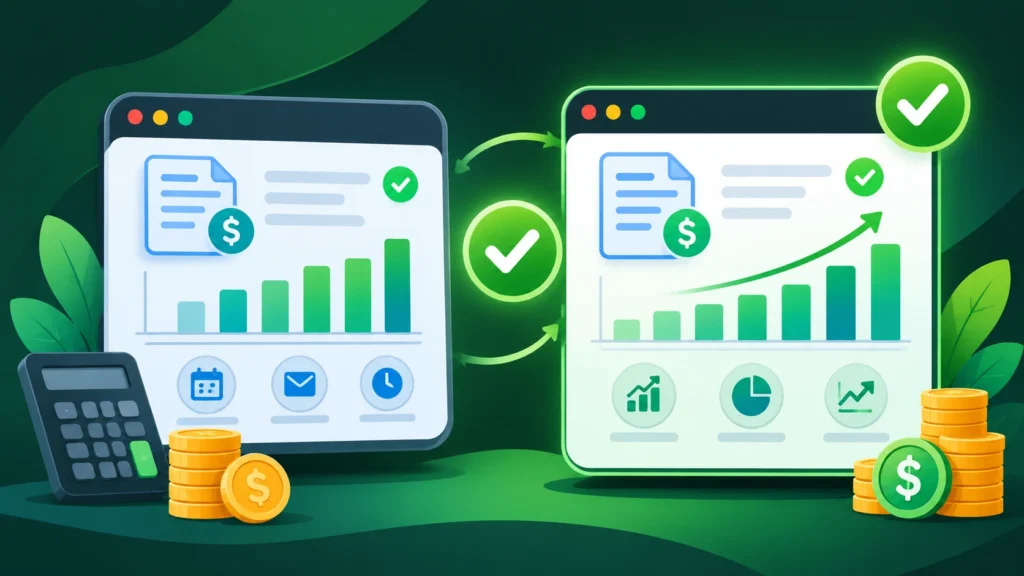
Choosing between Wave vs Zoho Invoice is one of the smartest evaluations a freelancer, consultant, or small business founder can make before paying for expensive monthly accounting subscriptions. Sending polished invoices, tracking overdue payments, and organizing expenses are daily essentials, yet buying a bloated enterprise accounting suite early on often drains cash flow without delivering extra value.
Both platforms have built massive reputations by offering generous zero-dollar entry plans, but they solve fundamentally different operational problems. One focuses on combining simple invoicing with full double-entry bookkeeping, while the other specializes in deeply customizable billing, multi-gateway payments, and project-based client portals. For founders browsing Comparison guides to pick lean, high-value software stacks, understanding where each tool shines—and where its free tier stops—prevents painful migrations later.
In this comprehensive Wave vs Zoho Invoice breakdown, we compare invoice customization, free plan limits, payment processing fees, accounting depth, and workflow automation so you can pick the right platform with confidence.
Wave vs Zoho Invoice: Quick Side-by-Side Overview
Before examining every category in detail, it helps to see how these two platforms position themselves for small teams and solo operators. While both allow you to create estimates and send professional invoices without paying a base subscription fee, their underlying architectures are quite different.
| Feature Category | Wave (Starter / Pro) | Zoho Invoice |
| Base Monthly Price | $0 Starter plan; ~$19/month for Pro upgrade | $0 completely free forever (subject to fair annual usage caps) |
| Core Focus | Simple invoicing paired with double-entry accounting | Dedicated invoicing, quotes, timesheets, and client portal |
| Invoice Templates | Clean, single core layout with logo and color controls | 18+ customizable templates with granular font, field, and layout edits |
| Payment Gateways | Built-in Wave Payments (cards and ACH bank transfers) | Stripe, PayPal, Square, Authorize.Net, Zoho Payments, and more |
| Double-Entry Accounting | Included free (Profit & Loss, Balance Sheet, Cash Flow) | Not built-in (requires pairing with Zoho Books or external accounting) |
| Best Geographic Fit | Primarily optimized for US and Canadian businesses | Global support for multi-currency, international taxes, and VAT |
1. Wave vs Zoho Invoice: Invoicing and Template Customization
The primary job of any billing platform is helping you look credible and get paid quickly. When comparing Wave vs Zoho Invoice on pure document design and billing flexibility, the difference in philosophy shows up immediately.
Wave vs Zoho Invoice: How Wave Handles Invoicing and Branding
Wave prioritizes speed and low friction. Within minutes of creating an account, you can upload your company logo, select a primary brand accent color, add line items, apply local sales taxes, and send an estimate or invoice. Converting an approved estimate into a live invoice takes a single click, and you can set up recurring billing schedules for monthly retainers.
However, Wave keeps its visual layout intentionally standardized. You cannot rearrange table columns, inject custom CSS, or switch between drastically different editorial designs. For contractors, coaches, and local service providers, Wave’s clean default layout is more than enough. For creative agencies that want bespoke, heavily branded documents, it can feel restrictive.
How Zoho Invoice Excels in Customization
Zoho Invoice treats invoice presentation as a major brand touchpoint. It includes more than 18 pre-built templates that you can tailor extensively—adjusting headers, footers, column labels, fonts, page margins, and custom fields.
Beyond visual design, Zoho Invoice includes features that service teams usually have to pay extra for elsewhere:
-
Timesheet-to-Invoice Billing: Track billable hours by project and task, then convert logged time directly into itemized client invoices.
-
Interactive Self-Service Customer Portal: Clients can log into a dedicated portal to view historical statements, approve or reject quotes, comment on line items, and pay multiple open invoices at once.
-
Delivery Notes and Retainer Invoices: Handle partial deposits, milestone billing, and digital receipts smoothly.
Round 1 Winner: Zoho Invoice wins on customization, template variety, and project timesheet billing.
2. Accounting Depth and Bookkeeping Capabilities
When evaluating Wave vs Zoho Invoice, accounting is the dividing line that determines whether you need one app or two.
Wave vs Zoho Invoice Accounting: Wave’s Double-Entry System
Unlike standalone billing tools, Wave is a genuine double-entry accounting system. Every invoice you send, payment you collect, and expense you record updates your general ledger, Chart of Accounts, Profit and Loss statement, and Balance Sheet automatically.
It is worth noting an important nuance in Wave’s plan structure: on the free Starter tier, you get unlimited invoicing, estimates, and manual bookkeeping records, while automated live bank transaction imports and automated late-payment reminders sit inside the Pro tier (around $19 per month). Even on Starter, you can still upload bank statements manually and generate tax-ready financial reports without paying a subscription fee.
Zoho Invoice’s Focus on Pure Billing
Zoho Invoice does not pretend to be full accounting software. While it lets you log business expenses, attach receipt photos, and bill reimbursable expenses back to clients, it does not generate Balance Sheets, reconcile bank feeds, or track equity and liabilities.
If you need full bookkeeping inside the Zoho ecosystem, you eventually graduate to Zoho Books—which offers a free tier only for businesses below a strict annual revenue threshold before requiring a paid monthly plan. For small businesses that already hand receipts to an external CPA at year-end, Zoho Invoice’s lightweight expense tracking is plenty. For solo founders managing their own books, Wave saves you from buying a second tool.
Round 2 Winner: Wave wins decisively for built-in accounting and financial reporting.
3. Payment Gateways, Fees, and True Cost of Ownership
Even when software carries a $0 price tag, payment processing fees determine what you actually pay as your revenue grows. In a real-world Wave vs Zoho Invoice cost comparison, how your clients pay matters just as much as subscription pricing.

Wave vs Zoho Invoice Fees: Wave Payments and Processing Rates
Wave acts as its own payment facilitator in the United States and Canada. Enabling online payments lets clients pay directly from the invoice via credit card, Apple Pay, or ACH bank transfer. Standard card processing runs roughly 2.9% + $0.60 per transaction (slightly higher for American Express), while ACH bank transfers cost 1% per transaction with a $1 minimum. Upgrading to Wave Pro waives the $0.60 fixed fee on your first ten card transactions each month.
The main limitation is lock-in: Wave does not let you plug in external payment gateways like Stripe, Square, or PayPal natively inside its invoice checkout. Additionally, if you operate outside the US or Canada, you can still use Wave to generate PDF invoices, but you cannot use Wave Payments to collect online card payments.
Zoho Invoice’s Multi-Gateway Freedom
Zoho Invoice does not force you into a single payment processor. Instead, it integrates directly with Stripe, PayPal, Square, Razorpay, Authorize.Net, Braintree, and Zoho Payments. Because you connect your own merchant account, you can negotiate better rates as your volume scales, accept regional payment methods, and bill clients in dozens of currencies worldwide.
According to small business finance guidance published by the U.S. Small Business Administration, keeping overhead predictable and matching payment methods to customer preferences helps improve on-time collections and stabilizes working capital. Zoho Invoice’s flexibility makes it far easier to support international clients without currency friction.
Round 3 Winner: Zoho Invoice wins for global currency support and multi-gateway payment freedom.
4. Automation, Mobile Apps, and Ecosystem Integrations
As client volume increases, repetitive admin tasks—chasing unpaid invoices, logging client details, and syncing project statuses—start eating into billable hours. Both apps offer solid iOS and Android mobile apps for creating invoices and snapping receipts on the go, but their automation capabilities diverge quickly.
Workflow Automation in Zoho Invoice
Zoho Invoice includes built-in workflow rules and automated payment reminders right inside its free plan. You can schedule multi-stage reminder emails before and after due dates, trigger webhook alerts, and even share invoice links via messaging channels. Better yet, because it sits inside the broader Zoho suite, it connects natively with Zoho CRM, Zoho Projects, and Zoho Analytics. If you are building lean operational workflows across Small Business Tools, pairing Zoho Invoice with automated onboarding and CRM pipelines—like the workflows in our guide to automate client onboarding with AI—keeps client data synchronized without manual re-entry.
Automation Limits in Wave
Wave keeps automation intentionally lightweight. You can configure recurring invoices for repeat retainers, and if you upgrade to Wave Pro, you unlock automated late-payment reminders and automatic bank transaction categorization rules. Third-party connections via Zapier exist, but available triggers and actions are much narrower than Zoho’s ecosystem.
Round 4 Winner: Zoho Invoice wins on native automation, multi-user permissions, and CRM/project integrations.
Wave vs Zoho Invoice: Which Platform Should You Choose?
Because neither tool requires an upfront subscription to get started, your decision comes down to how you manage finances and where your clients are located.
You Should Pick Wave If:
-
You want invoicing and full accounting under one roof: Having double-entry bookkeeping, Profit & Loss reports, and Balance Sheets included for free eliminates the need for separate accounting software.
-
You operate in the US or Canada: Wave’s ACH bank payment option (1% fee) is a major money-saver when billing large B2B retainers.
-
You prefer a clean, minimalist interface: If you hate complex settings menus and just want to send clean invoices and track tax deductions, Wave feels effortless.
You Should Pick Zoho Invoice If:
-
You serve international clients or operate outside North America: Multi-currency billing, VAT/GST tax configurations, and global gateways like Stripe and PayPal make Zoho Invoice far more versatile worldwide.
-
You bill by project hours or manage team members: Built-in timesheet tracking, multi-user access, and a self-service customer portal give small agencies a polished client experience.
-
You want deep branding and automation without paying monthly fees: Getting 18+ customizable templates and automated overdue reminders on a $0 plan is hard to beat.
Final Verdict on Wave vs Zoho Invoice
When weighing Wave vs Zoho Invoice, both earn top marks as reliable, budget-friendly billing solutions—but each serves a distinct type of business owner.
Choose Wave if you are a North American freelancer, solo consultant, or micro-business that wants free double-entry accounting alongside straightforward invoicing and low-cost ACH bank transfers. Choose Zoho Invoice if you need extensive template customization, timesheet billing, global payment gateways, and automated reminders without paying a monthly software fee.