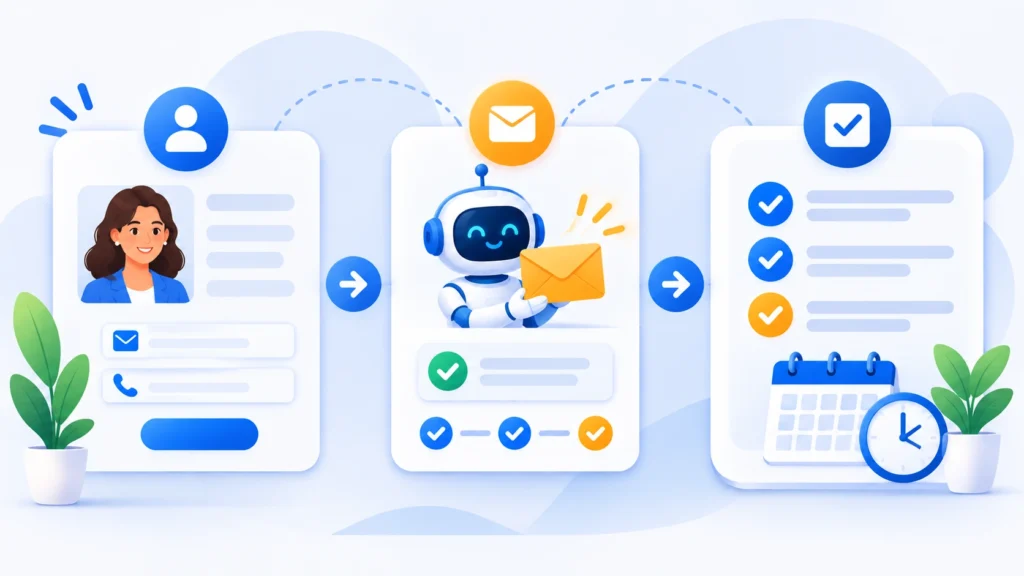
Learning how to automate client onboarding with ai can save freelancers, agencies, and service teams hours of repetitive admin work every single week. When a new client signs on, manual bottlenecks—waiting on intake answers, copying details into folders, chasing signatures, and sending delayed welcome emails—slow down momentum right when excitement is highest. A slow or messy first week creates friction and can even hurt early trust before real project work begins.
Modern automation platforms combined with AI assistants change that dynamic completely. Instead of stitching together scattered messages by hand, you can trigger a coordinated sequence the moment a proposal is accepted or a contract is signed: generate personalized welcome notes, organize project folders, spin up task boards, send intake forms, and book kickoff calls automatically. For readers exploring Step-by-Step Guides to streamline operations, building a clean onboarding pipeline is one of the highest-ROI systems you can put in place.
In this guide, we walk through how to automate client onboarding with ai from start to finish, map out the core tool stack, and share practical guardrails so your workflows stay accurate and human where it matters most.
Why You Should Automate Client Onboarding with AI
Manual client onboarding rarely breaks all at once—it chips away at your schedule in small pieces. Answering the same onboarding questions over email, renaming client folders, and reminding clients to submit assets or sign agreements can easily consume three to five hours per new account.
Research widely cited in business leadership discussions from Harvard Business Review shows that improving customer retention by even a small margin can have an outsized impact on profitability. A structured, responsive start helps new clients feel guided and confident, setting the tone for smoother communication and long-term renewals.
Key Benefits When You Automate Client Onboarding with AI
-
Faster Time to Kickoff: New clients receive clear next steps within minutes of signing rather than waiting a day or two for manual follow-ups.
-
Fewer Copy-Paste Mistakes: Data collected once during intake or contract signing flows cleanly into project trackers, invoices, and folders.
-
Consistent Client Experience: Every account gets the same polished welcome package, checklist, and timeline regardless of how busy your team is.
-
AI-Assisted Personalization: Language models can draft tailored welcome emails, summarize intake answers, and prepare kickoff agendas from raw client inputs.
Core Tools Needed to Automate Client Onboarding with AI
You do not need an expensive all-in-one suite on day one. Most small teams and agencies connect three to four focused apps they already use through a no-code automation layer.
| Workflow Layer | Popular Tool Examples | Primary Role in Onboarding |
| Forms & Intake | Tally, Typeform, Jotform | Collects project goals, brand assets, billing info, and access details |
| Contracts & Proposals | PandaDoc, DocuSign, Ignition | Handles agreements, e-signatures, and initial payment triggers |
| Automation & AI Layer | Zapier, Make, OpenAI / Claude | Connects app triggers, formats data, and drafts personalized summaries |
| Workspace & Scheduling | Notion, ClickUp, Calendly | Creates client portals, task lists, folders, and kickoff call slots |
1. Trigger and Contract Layer
The cleanest automation trigger is a signed agreement or paid deposit. Once a contract is marked signed in your e-signature or proposal tool, it acts as the official green light that starts your automated sequence.
2. Automation Engine and AI Step
Tools like Zapier and Make listen for that trigger and pass client details from one app to another. Adding an AI step in the middle lets you turn raw intake responses into a clean project brief, draft a warm welcome message tailored to the client’s industry, or flag missing information before a call.
3. Client Portal, Tasks, and Calendar
A centralized workspace—such as a templated Notion client hub or ClickUp project board—gives clients one place to see milestones, upload files, and check deliverables. Pairing that hub with a scheduling link removes back-and-forth timezone emails.
Step-by-Step Guide: How to Automate Client Onboarding with AI
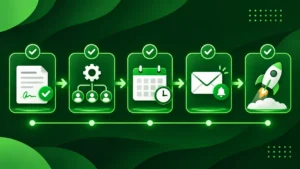
Before building anything inside an automation tool, run through your onboarding process manually at least twice so you know every step works and nothing is missing. Once your steps are clear, follow this five-stage build.
Step 1: Map Stages Before You Automate Client Onboarding with AI
List every action that happens after a deal closes: sending a welcome email, collecting brand assets, creating a shared drive folder, duplicating a project template, and booking a kickoff call. Decide which event starts the workflow—typically Contract Signed or Invoice Paid.
Step 2: Build a Focused Client Intake Form
Create a single, well-structured intake form that asks only for information you genuinely need right away. Group questions logically (business overview, primary contact, goals, asset links, and login/access instructions) and keep optional notes clearly labeled so clients do not abandon the form halfway through.
Step 3: Set Up Automated Folder and Workspace Creation
In your automation builder (Zapier or Make), configure the workflow so that when a client signs or submits intake details, the system automatically:
-
Creates a dedicated client folder from a master template in Google Drive or OneDrive.
-
Duplicates your standard onboarding task list or client portal page and renames it with the client’s name.
-
Saves key fields (client name, email, service package, target start date) into your CRM or tracking database.
Step 4: Use AI Prompts to Automate Client Onboarding Summaries
Use an AI action step to read the client’s intake form responses and generate two practical outputs: a concise Internal Kickoff Brief (highlighting goals, deadlines, and potential risks) and a draft Welcome Email that confirms next steps, links the client portal, and invites them to book their kickoff call. If you rely on AI assistants for research and writing workflows, compare how different models fit your process in our Perplexity AI vs. ChatGPT comparison.
Step 5: Automate Reminders and Test End-to-End
Clients get busy, so schedule an automated gentle reminder if an intake form or asset request is still incomplete after 48 hours. Before turning the automation on for real clients, run a full test using a dummy client record and check every step—email formatting, folder permissions, calendar links, and CRM fields—to catch broken mappings early.
Best Practices and Mistakes to Avoid
Automation works best when it removes friction without making clients feel like a number. Keep these guidelines in mind as you refine your setup:
-
Keep High-Stakes Conversations Human: Automate logistics, reminders, and file setup—not your kickoff call, scope alignment, or sensitive client concerns.
-
Watch Task Limits and Error Alerts: In automation platforms, high task volume or an expired app token can pause a workflow. Turn on instant error notifications so you fix issues immediately.
-
Avoid Over-Complicating Version One: Start with one core service workflow. Once it runs smoothly for a few clients, add conditional branches for different packages or retainers.
Final Verdict: Is It Worth It to Automate Client Onboarding with AI?
Yes—when you build around a clear, proven process rather than automating chaos. Knowing how to automate client onboarding with ai helps small teams deliver a calmer, faster, and more organized start for every new client while freeing up hours for billable work and strategy.
Start with a simple trigger, a clean intake form, an automated workspace template, and an AI-drafted welcome summary. Once that foundation runs reliably, you can expand it as your client volume grows.