When comparing Perplexity AI vs ChatGPT, most people quickly realize that while both tools respond to natural-language prompts, they are built around very different core strengths. Choosing the right assistant can save hours of manual web searching, fact-checking, outlining, and drafting every week—while picking the wrong one for a given task often leads to extra verification work or generic output.
Creators, researchers, writers, students, and small business teams frequently ask whether one platform can replace the other or if each serves a distinct role in a modern workflow. In this in-depth guide, we break down Perplexity AI vs ChatGPT across real research, writing, accuracy, and everyday productivity scenarios so you can decide which setup fits how you actually work.
Quick Comparison Overview: Perplexity AI vs ChatGPT
Before diving into detailed workflows, this comparison table summarizes where each assistant focuses its energy.
| Feature / Dimension | Perplexity AI | ChatGPT |
| Core Design Philosophy | Answer engine built around live web search and inline source citations | General-purpose conversational assistant for reasoning, drafting, and creation |
| Best For | Fact-checking, source-backed research, market scans, quick synthesis | Long-form drafting, brainstorming, rewriting, coding, structured problem-solving |
| Source Transparency | Displays numbered clickable citations directly alongside claims | Can browse the web, though its primary strength remains generative reasoning |
| Writing & Tone Flexibility | Concise, direct, and reference-oriented summaries | Highly adaptable across creative, editorial, technical, and conversational styles |
| Main Watch-Out | Less oriented toward open-ended creative ideation or multi-step voice shaping | Requires careful verification of factual claims and external references |
Why Perplexity AI vs ChatGPT Require Different AI Strengths
Many users treat every AI tool as an all-purpose answer machine, yet research and writing involve two separate mental modes.
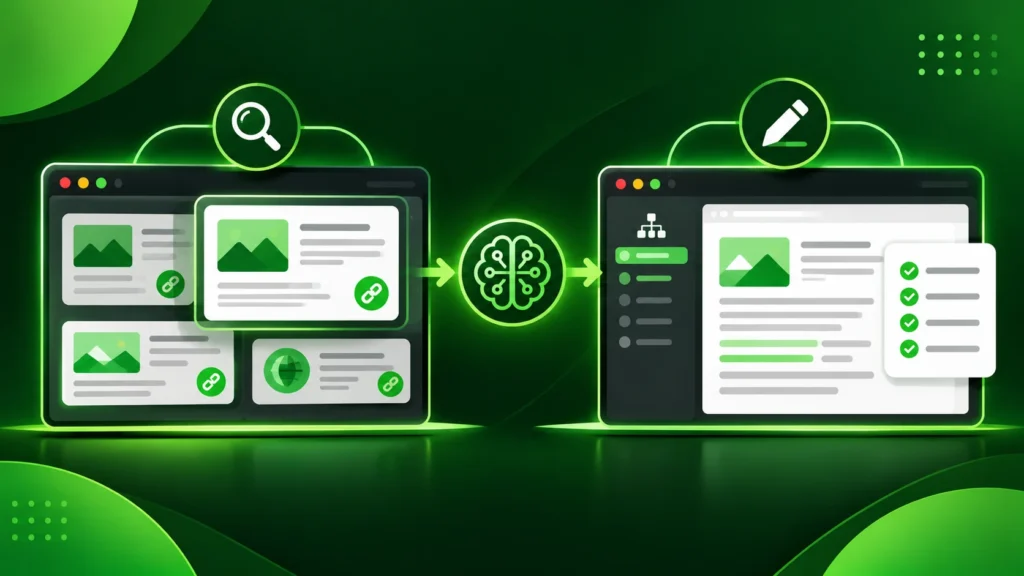
1. Gathering and Verifying Information
During research, your top priorities are speed, source visibility, and traceability. You want to know where a statistic, policy update, or technical explanation came from so you can inspect the original source before quoting or relying on it.
2. Structuring, Drafting, and Refining Ideas
During writing and ideation, your top priorities shift toward clarity, flow, audience tone, and structural organization. Here, you need an assistant that can brainstorm angles, outline complex topics, adapt voice, and iterate through multiple revisions smoothly.
Understanding this split makes evaluating Perplexity AI vs ChatGPT much clearer. If you are building a broader stack for content and daily operations, explore our AI tool reviews to see how specialized tools complement each other.
How Perplexity AI Works in a Research Workflow
Perplexity AI positions itself primarily as a conversational answer engine rather than a traditional chatbot. When you ask a question, it searches live web sources, synthesizes the findings into a structured answer, and attaches numbered citations directly to the relevant sentences.
Where Perplexity AI Excels in Perplexity AI vs ChatGPT
-
Source-backed discovery: Having clickable citations right next to key statements lets you jump straight to original documentation, news reports, or research pages to verify details.
-
Fast topic orientation: When entering an unfamiliar subject, Perplexity quickly maps out key concepts, terminology, and recent developments without forcing you to open fifteen browser tabs at once.
-
Follow-up drill-downs: You can ask targeted follow-up questions that narrow the scope—such as comparing specific criteria, summarizing viewpoints, or locating primary definitions.
Practical Limitations of Perplexity AI
-
Source quality still depends on the web: A citation proves where information came from, not automatically that the underlying webpage is authoritative. Readers still need to evaluate whether a cited link is an official source or a secondary blog.
-
Less suited for deep stylistic drafting: While Perplexity writes clear summaries, it is generally less flexible than a dedicated generative workspace when you want to shape nuanced narrative voice, persuasive copy, or complex creative formats.
How ChatGPT Works in a Writing and Reasoning Workflow
ChatGPT is designed as a versatile conversational and generative workspace. Beyond answering questions, it excels at ideation, structured outlining, rewriting, summarizing messy notes, coding assistance, and adapting output to specific audience guidelines.
Where ChatGPT Excels in Perplexity AI vs ChatGPT
-
Flexible drafting and iteration: You can feed rough bullet points, transcripts, or research notes into ChatGPT and shape them into clean articles, emails, scripts, or standard operating procedures.
-
Brainstorming and angle generation: When you need ten headline ideas, counterarguments, analogy options, or structural outlines, ChatGPT generates varied directions rapidly.
-
Step-by-step problem solving: Whether breaking down a project plan, debugging logic, or organizing data tables, ChatGPT handles multi-step instructions naturally.
Practical Limitations of ChatGPT
-
Verification discipline is essential: Fluent, confident phrasing can make unverified statements sound authoritative. Any specific fact, quote, or technical detail should always be cross-checked before publishing.
-
Prompt clarity shapes quality: Vague prompts produce generic writing. Providing clear context, audience details, formatting rules, and examples dramatically improves output quality.
Key Differences in Perplexity AI vs ChatGPT Daily Output
When weighing Perplexity AI vs ChatGPT for daily work, look closely at how each tool behaves across common creator and team tasks.
1. Citation-First Answers vs. Synthesis-First Drafting
Perplexity treats external sources as the centerpiece of its response, making it easy to audit claims. ChatGPT treats reasoning, language generation, and task execution as the centerpiece, making it stronger when transforming raw material into finished deliverables.
2. Handling Current Information and Updates
When researching evolving topics—such as platform policy changes, product documentation, or industry announcements—having immediate access to cited web pages reduces guesswork. Even then, always click through to official pages to confirm exact details.
3. Workflow Speed for Content Creators
Creators who produce tutorials, comparisons, or educational guides often combine both approaches:
-
Use research-focused queries to gather verified facts, official feature documentation, and key terminology.
-
Inspect the cited primary sources directly to confirm accuracy.
-
Organize your verified notes into a clear outline tailored to your target reader.fvf
-
Draft and refine sections with clear examples, balanced trade-offs, and practical takeaways.

If you also produce video or multimedia content alongside written guides, see our Descript vs CapCut comparison and browse more software comparisons to streamline your full production pipeline.
How to Choose Between Perplexity AI vs ChatGPT
Still deciding which tool deserves a permanent spot in your browser tabs? Use this practical framework to choose between Perplexity AI vs ChatGPT:
-
Choose Perplexity AI if: Your daily work revolves around fact-finding, market research, competitive scans, literature lookups, and fast answers backed by visible source links.
-
Choose ChatGPT if: Your primary focus is writing, brainstorming, outlining, editing, coding, summarizing documents, and adapting tone across different formats.
-
Use both together if: You want a two-stage workflow—gathering and verifying facts in a citation-driven answer engine first, then structuring and polishing your final deliverable in a flexible generative workspace.
Before committing to any paid subscription, test both platforms on real tasks from your own weekly workload and review current plan limits directly on each provider’s official website.
Perplexity AI vs ChatGPT: Frequently Asked Questions
Is Perplexity AI better than ChatGPT for research?
For source-backed web research where seeing inline citations immediately matters, Perplexity AI is often faster and more transparent. However, you should still click and verify important primary sources manually.
Can ChatGPT replace Perplexity AI completely?
ChatGPT includes web search capabilities, so it can handle many research queries. Still, users who prioritize clean citation layout and fast source auditing often prefer Perplexity for dedicated research sessions.
Which tool is better for blog writing and content creation?
ChatGPT is generally stronger for outlining, drafting, rewriting, and adjusting editorial tone, whereas Perplexity is especially useful during the pre-writing research and fact-checking stage.
Do I need paid plans to get value from either tool?
Both platforms offer entry tiers that let you test core research and writing workflows on real tasks before deciding whether higher usage limits or advanced models fit your needs.